SMS OTP and 2FA
Secure your users without the friction
Sharp businesses and developers know better than to cut corners on security. Verify user identity, secure your data and lock down your security the right way with SMS one-time passcodes. Delivered instantly to the cell phone your users already have on them.
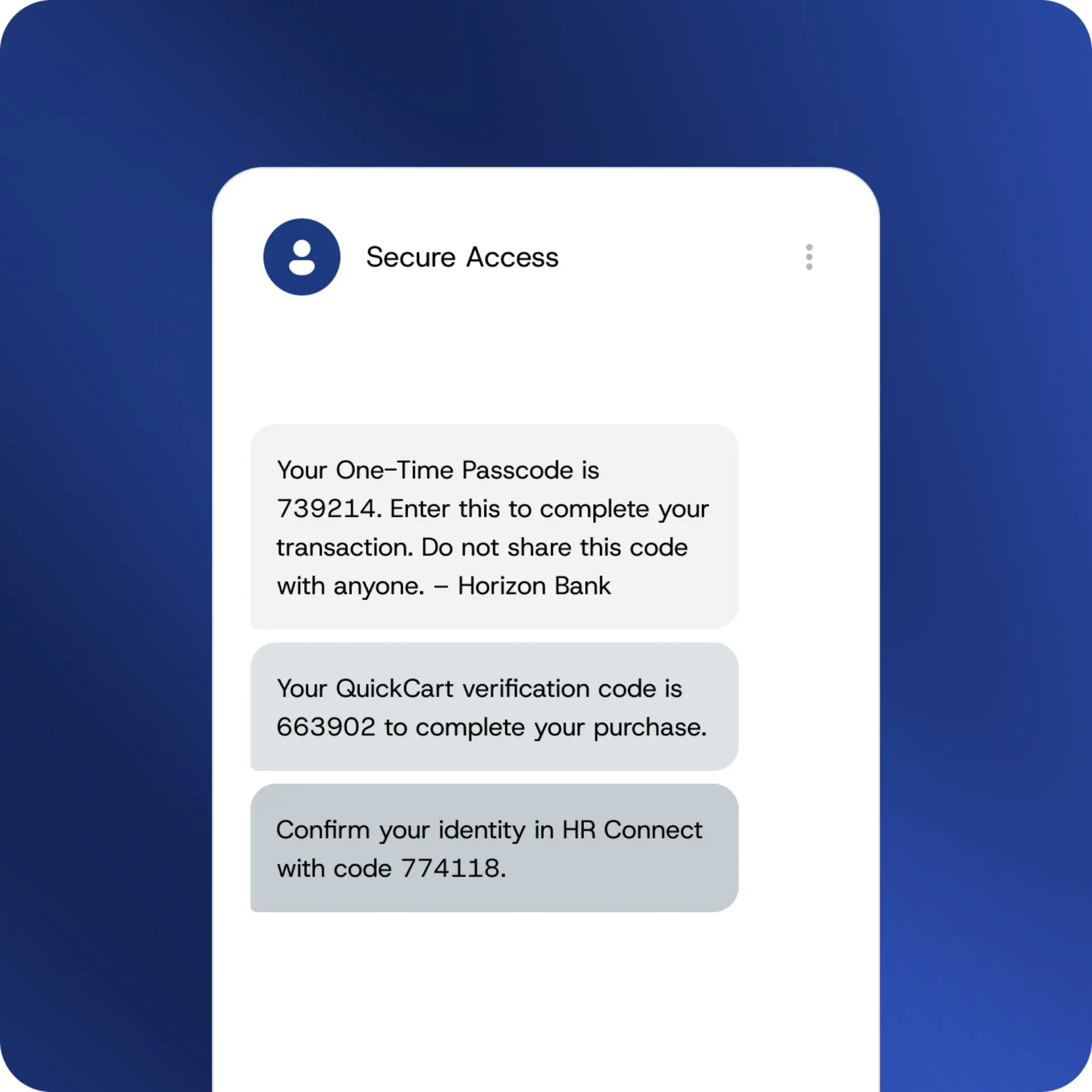
What is 2FA and SMS OTP?
Two-factor authentication (2FA) is a security method that justifies a user's identity by checking two separate things. Usually it comes down to something they know – like a password – and something they've got on them, like access to a device or account.
SMS OTP is how you sort the second factor. When a user logs in or does something sensitive, a unique one-time password gets sent straight to their mobile number. They type it out. Identity confirmed. Access granted.
It's the most widely used form of 2FA going around because it works right there on any mobile phone in any country – no extra steps, no delays.
How SMS authentication functions
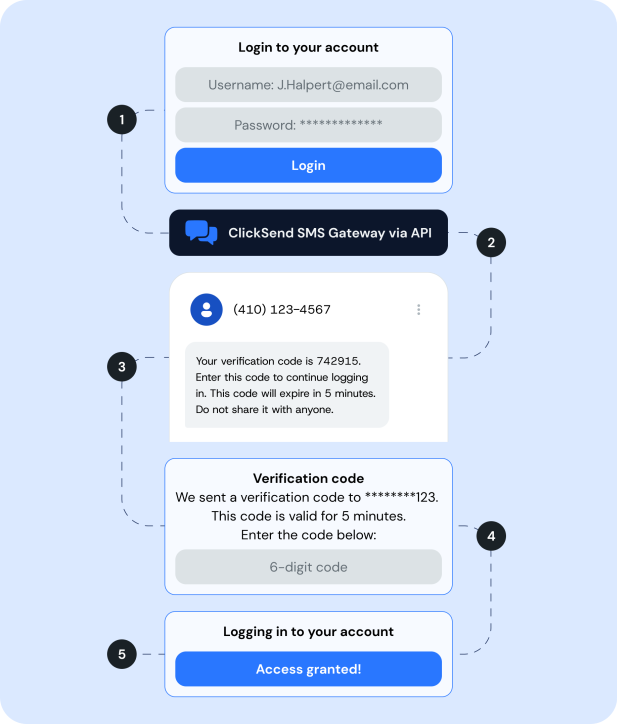
A user goes to log in, make a transaction, or get into a protected resource.
Your system sends a request through to the ClickSend SMS OTP gateway via API.
A unique code is generated and delivered to the user's mobile number – usually within seconds.
The user punches in the code.
Identity confirmed. Access granted.
The code expires automatically after a short window. If it's not used in time, it's done – no one can do anything with it after that.
SMS OTP vs other routes
Not all 2FA methods are equal. Here's how SMS OTP stacks up against the rest.
| SMS OTP | Email OTP | Authenticator App | Hardware token | |
|---|---|---|---|---|
| Works on any mobile handset | ✅ | Email-enabled only | Smartphone only | ❌ |
| No download required | ✅ | ✅ | ❌ | ✅ |
| No hardware to distribute | ✅ | ✅ | ✅ | ❌ |
| Works without internet | ✅ | ❌ | ❌ | ✅ |
| Easy for non-technical users | ✅ | ✅ | Moderate | ✅ |
Why any business or developer would choose SMS OTP
Works on any handset
No app downloads, no hardware tokens, no playing around with setup. SMS OTP works on every mobile out there – which pretty much everyone already has on them.
Solid as security goes
Every OTP is unique to the user and the session – generated fresh each time and gone within minutes. There's nothing to swipe, guess or replay.
Easy going for users
The simpler the security, the more likely users are to actually go along with it. SMS OTP is familiar, no-fuss and fast.
Once it's sorted, it's sorted
No hardware to wrangle, no software to babysit. Get it set up and leave it to do its thing.
Finance & banking
Verify transactions, protect account logins and get on top of fraud before it happens.
Healthcare & wellness
Protect patient portal logins, secure health records and verify access for staff and clinicians.
Education
Protect student and staff logins, secure enrolment portals and verify identity for online exams.
Not-for-profits
Secure donor accounts, protect volunteer and staff portals, and verify access to sensitive beneficiary data.
Construction & real estate
Verify contractor and site staff identity, protect client portals and secure document access out on site.
eCommerce
Confirm high-value purchases, protect account changes and cut back on fraudulent transactions.
HR & Workforce
Protect employee self-service portals and secure access to sensitive payroll and HR data.
Why ClickSend for SMS OTP?
In your hands in seconds
SMS authentication codes come through in seconds via tier-1 direct routes – no holdups, no drop-outs.
Reliable wherever you need it
Send codes to 230+ countries on the same routes that carry mission-critical business messaging, any time of day.
Easy to integrate
A clean REST API, straightforward docs and sandbox testing mean you'll be up and running in no time.
Scales as you go
Sending 100 OTPs a month or 10 million? Pay only for what you send, with volume discounts as you grow and no lock-in contracts tying you down.
Real people, any time of day
If something goes sideways after hours, we're on it – actual humans at the other end, around the clock.
Start sending SMS OTP today
Set up in minutes. Fast, reliable SMS authentication that just works.
FAQs
What is SMS OTP?
SMS OTP (one-time password) is a unique, time-limited code sent straight to a user's mobile number to sort out who they actually are. It's commonly used as part of two-factor authentication (2FA) – adding a second line of defence on top of a password. Each code is good for one use only and expires automatically after that.
What's the difference between SMS OTP and SMS 2FA?
They're pretty much two sides of the same coin. 2FA (two-factor authentication) is the wider security method – using two separate factors to work out who someone actually is. SMS OTP is the specific bit: a one-time password sent via SMS as the second factor. In practice, most people use the terms interchangeably and that's fair enough.
How do I implement SMS OTP for my application?
Get connected via the ClickSend SMS gateway API and you're most of the way there. Full documentation, code libraries and a sandbox environment are all sitting in your account waiting for you. Most developers have test messages sorted within a couple of hours. If you get stuck, our support team is available 24/7 – just give us a shout.
Is SMS OTP secure?
Absolutely – and a good deal more secure than passwords on their own. Every code is unique to the session, expires quickly and can't be reused even if someone gets their hands on it. For most business use cases, SMS 2FA is a solid, no-fuss security layer that does the job without any drama.
What's the difference between SMS OTP and an authenticator app?
Both deliver a time-limited code for 2FA – but that's about where the similarities end. Authenticator apps need users to download software before anything else. SMS OTP works on any mobile going – no app, no setup, no faffing around for your users.
How much does an SMS OTP service cost?
ClickSend offers straightforward pay-as-you-go rates with free inbound messages and no monthly fees or lock-in contracts. Take a look at pricing for your volume and destination country.