SMS OTP and 2FA
Secure your users without the friction
Clever businesses and developers know better than to take chances with security. Confirm user identities, safeguard your data and improve your security in the most reliable way with SMS one-time passcodes. Delivered instantly to the mobile device your users already carry with them.
What is 2FA and SMS OTP?
Two-factor authentication (2FA) is a security measure that validates a user's identity by requiring two distinct forms of verification. This is generally something they know – such as a password – and something they have in their possession, such as access to a trusted device or account.
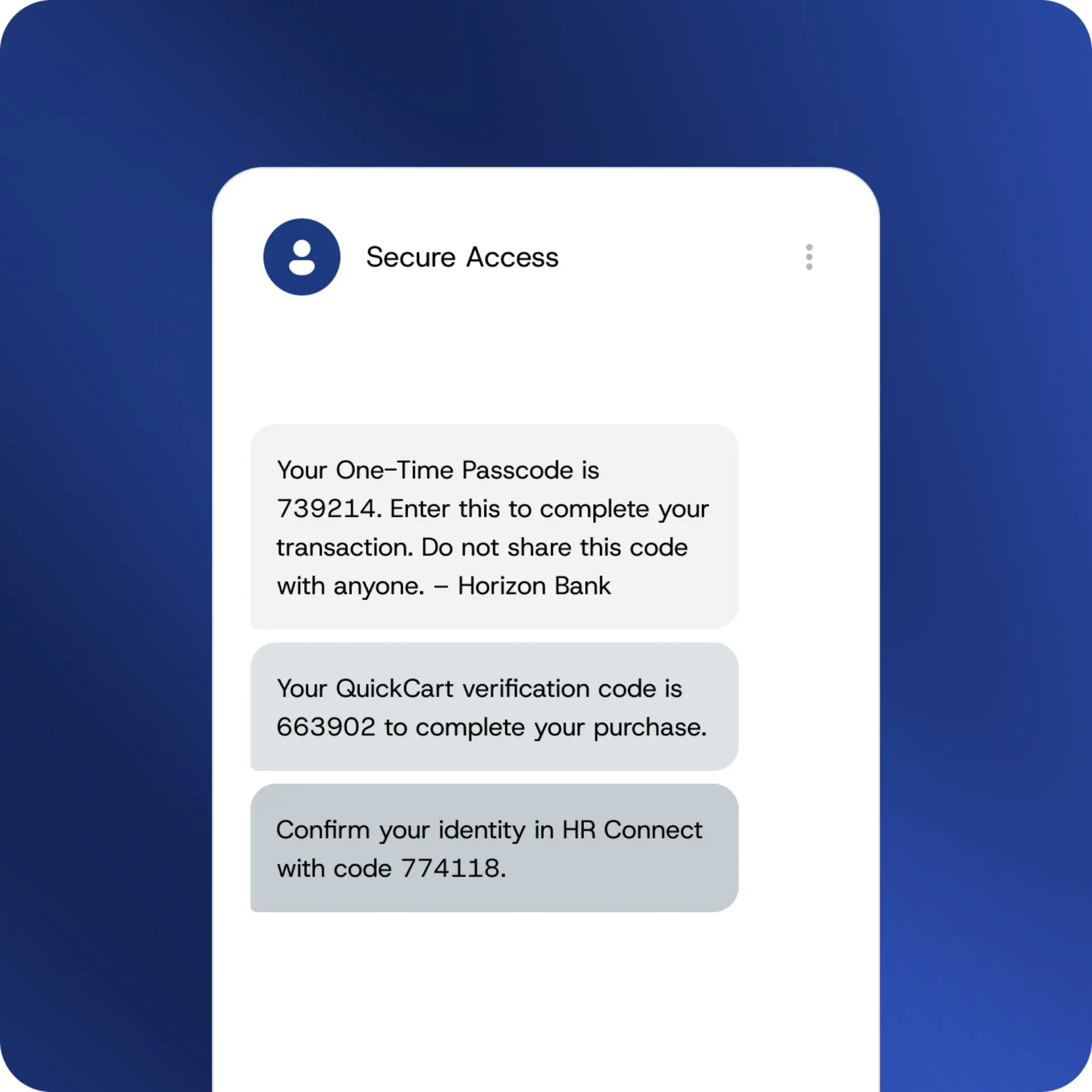
SMS OTP is how you deliver the second factor. When a user signs in or performs a sensitive action, a unique one-time passcode is sent directly to their mobile number. They enter it. Identity confirmed. Access granted.
It's the most widely adopted form of 2FA in the world because it works on the spot on any mobile in any country – no additional steps, no unnecessary delays.
How SMS authentication operates
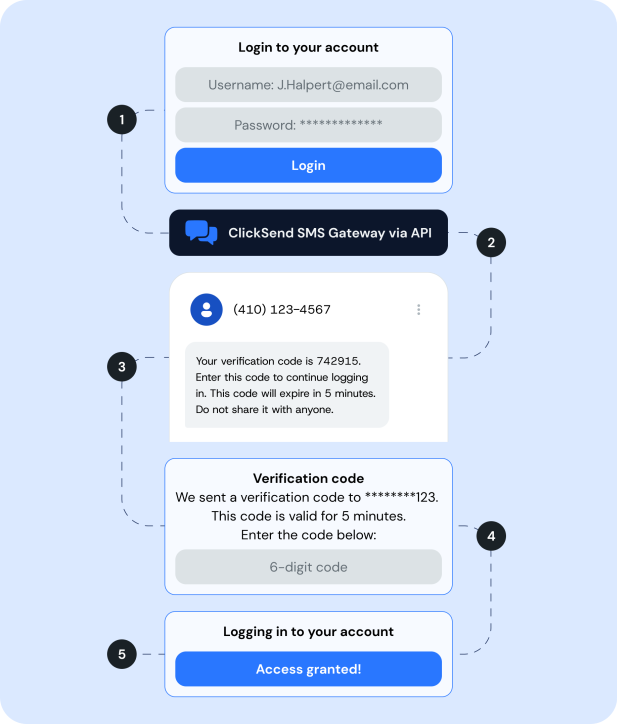
A user attempts to sign in, carry out a transaction, or gain access to a protected resource.
Your system sends a request through to the ClickSend SMS OTP gateway via API.
A unique code is made and delivered to the user's mobile number – ordinarily within seconds.
The user enters the code
Identity confirmed. Access granted.
The code expires automatically after a brief window. Once unused, it becomes permanently invalid – for everybody.
SMS OTP vs other possibilities
Not all 2FA methods are made equal. Here's how SMS OTP compares.
| SMS OTP | Email OTP | Authenticator App | Hardware token | |
|---|---|---|---|---|
| Works on any mobile handset | ✅ | Email-enabled only | Smartphone only | ❌ |
| No download required | ✅ | ✅ | ❌ | ✅ |
| No hardware to distribute | ✅ | ✅ | ✅ | ❌ |
| Works without internet | ✅ | ❌ | ❌ | ✅ |
| Easy for non-technical users | ✅ | ✅ | Moderate | ✅ |
Why clever businesses and developers rely on SMS OTP
Compatible with any device
No app downloads, no hardware tokens, no complicated setup. SMS OTP works on every mobile handset – which virtually everyone already carries with them.
Watertight security
Every OTP is unique to the user and the session – freshly generated each time and expired within minutes. There's nothing to intercept, guess or replay.
Straightforward for users
The simpler the security measure, the more likely users are to engage with it consistently. SMS OTP is familiar, fuss-free and fast.
Minimal ongoing maintenance
Once it's in place, it looks after itself. No hardware to oversee, no software to keep up to date.
Finance & banking
Verify transactions, safeguard account logins and stay one step ahead of fraud.
Healthcare & wellness
Protect patient portal logins, secure health records and verify access for clinical and support staff
Education
Protect student and staff logins, secure enrolment portals and verify identity for online assessments
Charities & not-for-profits
Secure donor accounts, protect volunteer and staff portals, and verify access to sensitive beneficiary data.
Construction & real estate
Verify contractor and site staff identity, protect client portals and secure document access on site.
eCommerce
Confirm high-value purchases, protect account changes and reduce the risk of fraudulent transactions
HR & Workforce
Protect employee self-service portals and safeguard access to sensitive payroll and HR data
Why ClickSend for SMS OTP?
Delivered in seconds
SMS authentication codes arrive almost instantly via tier-1 direct routes – no hold-ups, no failed deliveries.
Dependable worldwide.
Send codes to 230+ countries on the same routes that carry mission-critical business messaging, day and night.
Straightforward to integrate
A clean REST API, clear documentation and sandbox testing mean you can get up and running without any unnecessary bother
Scales alongside you
Sending 100 OTPs a month or 10 million? Pay only for what you send, with volume discounts available as you grow and no lock-in contracts to worry about.
Round-the-clock human support
If something goes wrong out of hours, we're on hand – real people at the other end of the line, day or night.
Start sending now SMS OTP today
Set up in minutes. Fast, reliable SMS authentication that just works.
FAQs
What is SMS OTP?
SMS OTP (one-time passcode) is a unique, time-limited code sent directly to a user's mobile number to validate their identity. It's widely used as part of two-factor authentication (2FA) – providing an additional layer of security beyond a password alone. Each code is valid for a single session and expires automatically once used.
What's the difference between SMS OTP and SMS 2FA?
The two are closely linked. 2FA (two-factor authentication) is the broader security framework – using two distinct factors to establish a user's identity. SMS OTP is the specific mechanism: a one-time passcode delivered by text as the second factor. In practice, the terms are often used interchangeably, and for good reason.
How do I implement SMS OTP for my application?
Connect via the ClickSend SMS gateway API and you're well on your way. Full documentation, code libraries and a sandbox environment are all available within your account. Most developers have test messages up and running within a couple of hours. Should you need any assistance, our support team is on hand around the clock.
Is SMS OTP secure?
Very much so – and considerably more secure than passwords alone. Every code is unique to the session, expires promptly and cannot be reused even if intercepted. For the vast majority of business use cases, SMS 2FA represents a robust and thoroughly practical security layer.
What's the difference between SMS OTP and an authenticator app?
Both deliver a time-limited code for 2FA – but the similarities end there. Authenticator apps require users to download software before they can get going. SMS OTP works on any mobile handset – no app, no setup, no unnecessary friction for your users.
How much does an SMS OTP service cost?
ClickSend offers pay-as-you-go pricing with free incoming messages and no monthly fees or lock-in contracts. Look at pricing for your sending volume and destination country.